A Free AI Video Try: Doubao + Seedance 2.0 Fast
I wanted to try 小云雀 (Xiaoyunque) — CapCut / Jianying’s AI content-creation agent — for a quick text-to-video experiment. After signing in, it was clear I would need to spend credits / money to actually generate what I wanted. So I looked for a free path instead.
That path was Doubao (豆包)’s built-in video creation, using ByteDance’s Seedance models.
Picking a model that does not bill me
In Doubao’s AI Creation panel, the model list currently looks like this:
| Model | UI note (roughly) |
|---|---|
| Seedance 2.5 | Flagship · higher consumption |
| Seedance 2.0 | Stronger visuals · higher consumption |
| Seedance 2.0 Fast | Fast production choice |
| Seedance 2.0 Mini | Everyday generation |
I tried the free lane: Seedance 2.0 Fast, duration 10s. The UI also warned that generation uses a daily free quota — exact numbers change over time, so treat the in-app counter as the source of truth.

One short Chinese prompt
I typed only this into the box:
1
帮我生成一个穿着很酷的女生(军官服)在星际穿越的视频,10s
Doubao automatically prefixed it as something like 生成视频:… before submitting. No long English prompt engineering — just a casual request.
After about five minutes, the clip was ready.
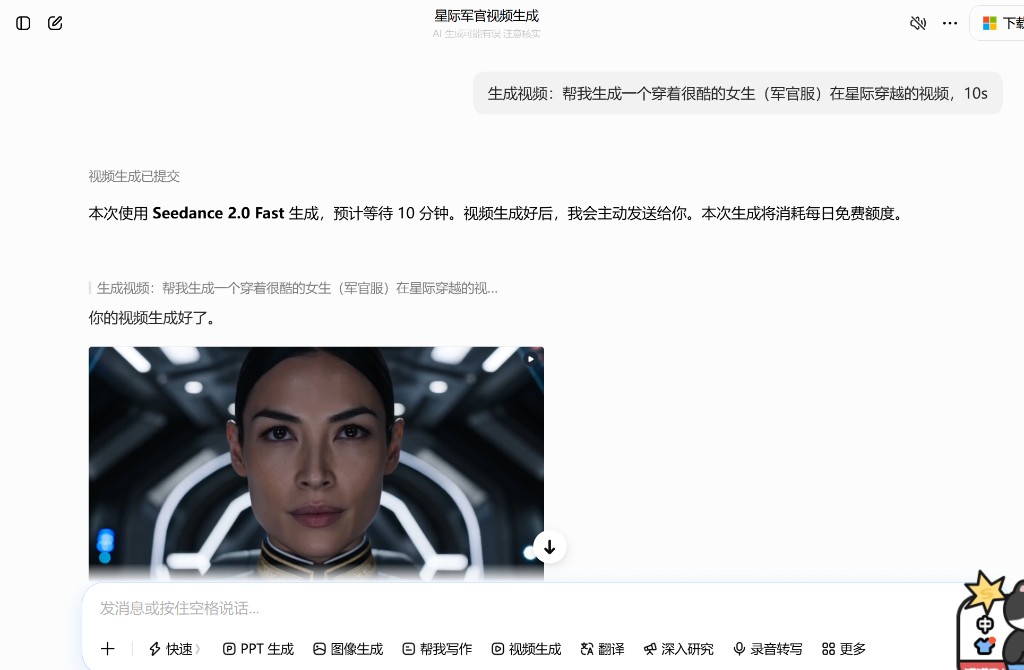
The result
Here is the generated 10-second video (embedded on this page):
I was very satisfied with the look: a cool officer-style outfit, sci-fi corridor lighting, and a short interstellar vibe that matched what I had in mind. For a free, one-sentence try, that was already more than enough.
Takeaways
- If a dedicated creator app asks for payment first, check whether the same model family is available inside a chat app with a free daily quota.
- On Doubao, Seedance 2.5 / 2.0 look stronger but cost more; 2.0 Fast was the practical free option for a 10s clip.
- Waiting a few minutes is fine when the output quality is this usable.
A small experiment, a free quota burn, and a clip I actually like — short try, solid result.