Growing My Website: Analytics, Comments, and Google Search Console
After publishing my first blog post, the website finally existed — but it still felt a little quiet.
I could open the site myself, but I had no idea whether anyone else had visited. Readers had no way to leave comments. And if someone searched my name or this site on Google, would anything show up at all?
So I spent the next few days adding three things:
- GoatCounter for page view analytics
- Giscus for blog comments
- Google Search Console so Google knows the site exists
I also reorganized the left sidebar navigation while I was at it. This post is a record of how I did all of that — and the pitfalls I ran into along the way.
Why These Three?
They solve three different problems:
| Tool | What it does |
|---|---|
| GoatCounter | Tells me how many people visit each page |
| Giscus | Lets readers comment using their GitHub account |
| Google Search Console | Helps Google discover and index my pages |
They are independent. I can use all three at the same time without conflict.
Part 0: Reorganizing the Sidebar Navigation
Before adding analytics and comments, I restructured the site from a default Chirpy blog into something closer to a personal academic homepage.
What changed
| Before (default Chirpy) | After (my site) |
|---|---|
| Home = post list | Home = academic profile + Recent News |
| Categories / Tags / Archives | Removed from sidebar |
| About = placeholder | About = photo, education, skills |
| — | Research / Experience / Projects |
| — | Blog = post list |
How Chirpy navigation works
Chirpy does not use a separate top menu. The left sidebar is controlled by files in the _tabs/ folder:
1
2
3
4
5
6
_tabs/
  about.md        → ABOUT
  research.md     → RESEARCH
  experience.md   → EXPERIENCE
  projects.md     → PROJECTS
  blog.md         → BLOG
Each file starts with front matter like this:
1
2
3
4
---
icon: fas fa-user
order: 1
---
ordercontrols position (smaller number = higher in the list)HOMEis alwaysindex.htmlat the site root
To turn the home page into a profile page instead of a post list, I replaced index.html with custom content and created _layouts/blog.html so the Blog tab can still list posts.
You do not need to edit the theme source code. Just add, remove, or reorder files in _tabs/.
Part 1: GoatCounter Analytics
Chirpy supports several analytics providers, but if you want page view counts displayed on each post, GoatCounter is currently the only built-in option.
Setup steps
- Register at goatcounter.com
- Create a site (mine is
universe-ustc) - Add two lines to
_config.yml:
1
2
3
4
5
6
analytics:
  goatcounter:
    id: universe-ustc

pageviews:
  provider: goatcounter
- Push and wait for deployment
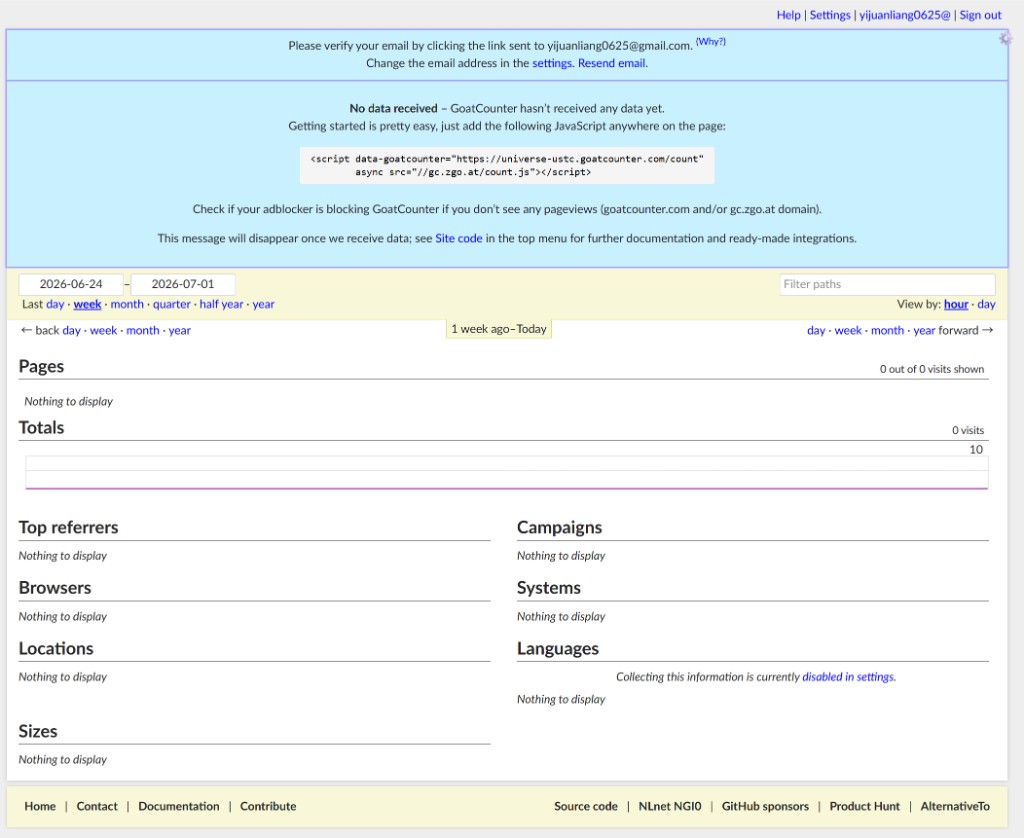
After deployment, each blog post should show a view count near the author line, and the GoatCounter dashboard will start recording visits.
Part 2: Giscus Comments
I chose Giscus because it is free, privacy-friendly, and integrates naturally with GitHub.
Setup steps
- Enable Discussions in the GitHub repository settings
- Go to giscus.app and connect the repository
- Choose a discussion category (I used
General) - Set the mapping to pathname (one discussion thread per blog post)
- Copy the generated configuration values into
_config.yml:
1
2
3
4
5
6
7
8
9
10
11
12
comments:
  provider: giscus
  giscus:
    repo: Universe-ustc/Universe-ustc.github.io
    repo_id: R_kgDOTJkRXQ
    category: General
    category_id: DIC_kwDOTJkRXc4DAUvI
    mapping: pathname
    strict: "0"
    input_position: bottom
    lang: en
    reactions_enabled: "1"
- Make sure individual posts do not have
comments: falsein their front matter
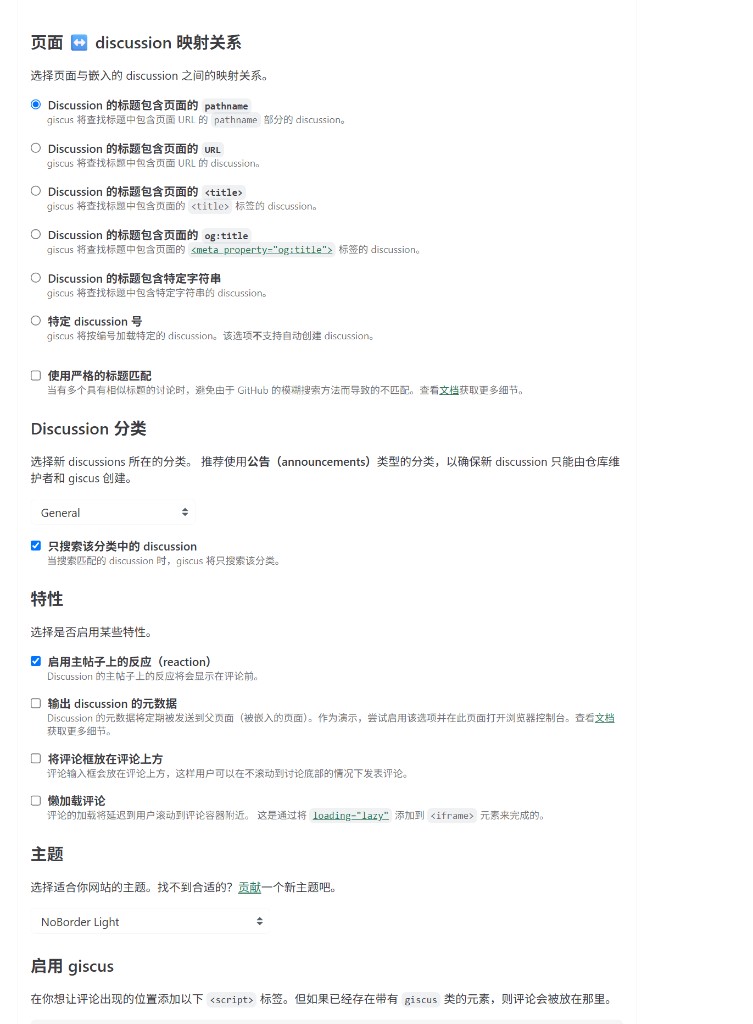
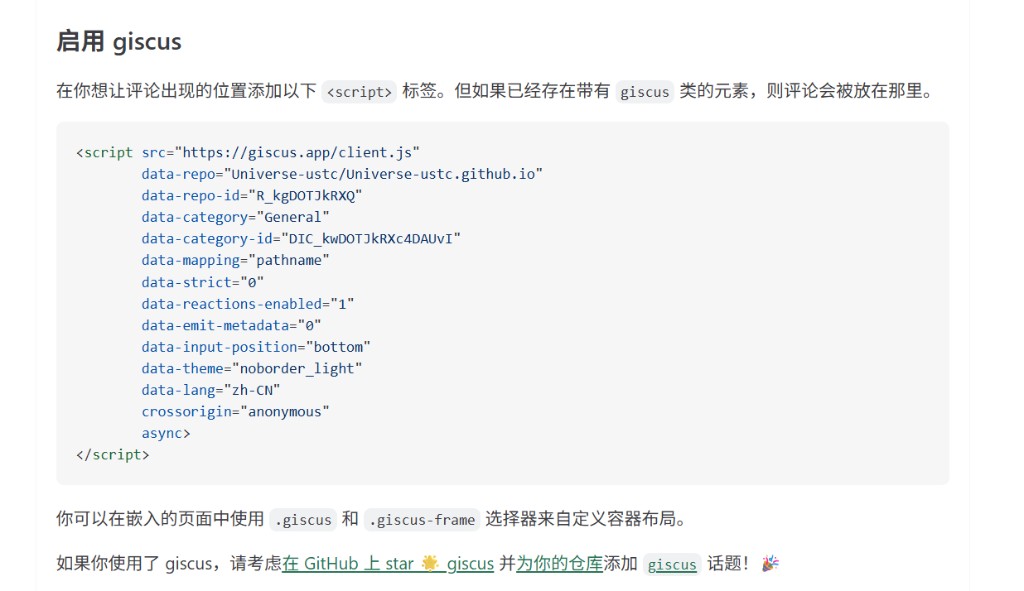
Important: you do not paste the <script> tag yourself
Giscus.app will show you a <script> snippet at the bottom. Do not paste it into your HTML.
Chirpy injects Giscus automatically once comments.provider is set to giscus. You only need the YAML configuration.
Part 3: Google Search Console
Having a live website does not mean Google already knows about it. Google Search Console is how you tell Google this site exists and help it discover your pages.
Setup steps
- Open Google Search Console and sign in with your Google account
- Click Add property → choose URL prefix
- Enter your site URL, e.g.
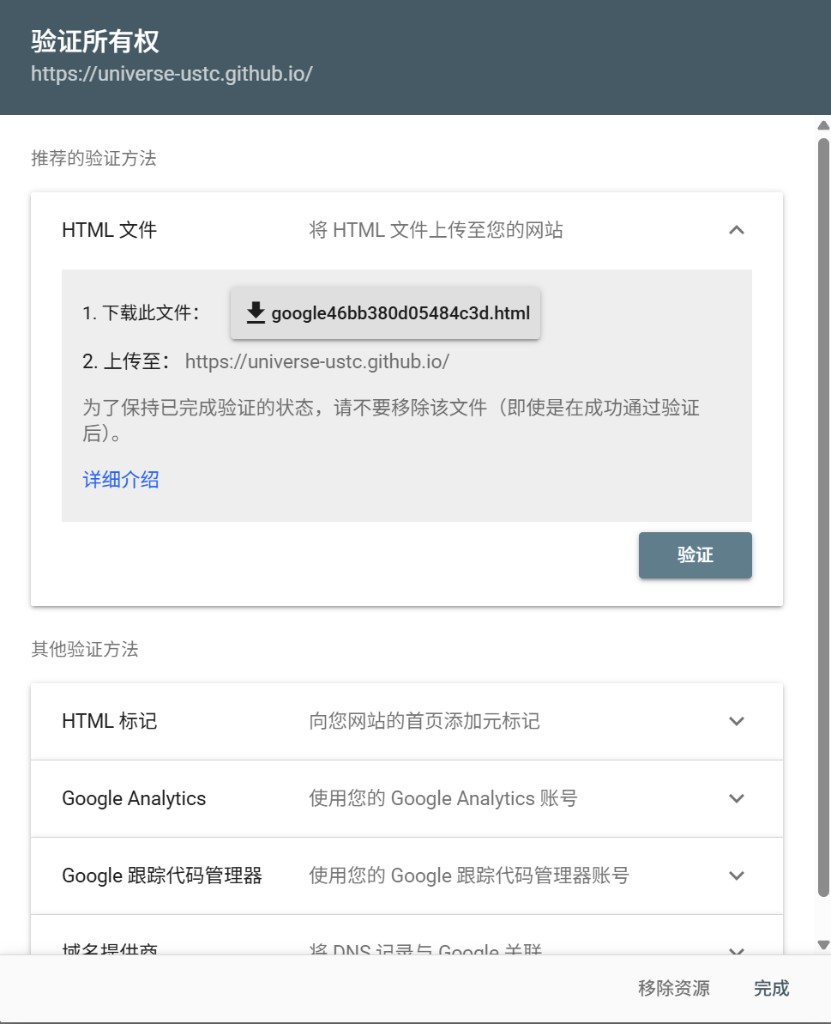
https://universe-ustc.github.io - Under verification methods, select HTML file
- Download the file Google generates (e.g.
google46bb380d05484c3d.html) — it is not part of Chirpy or Jekyll; Google creates it for you - Place the file in the root of your repository (same folder as
index.html) and push to GitHub:
1
2
3
4
5
6
Universe-ustc.github.io/
  index.html
  google46bb380d05484c3d.html   ← here
  _config.yml
  _posts/
  ...
- After deployment, confirm the file is reachable at:
1
https://universe-ustc.github.io/google46bb380d05484c3d.html
- Go back to Search Console and click Verify
- In the left sidebar, open Sitemaps, enter
sitemap.xml, and click Submit
Do not delete the verification HTML file after setup. Google requires it to stay on your site.
Pitfalls I Hit Along the Way
1. The site looked unchanged after pushing
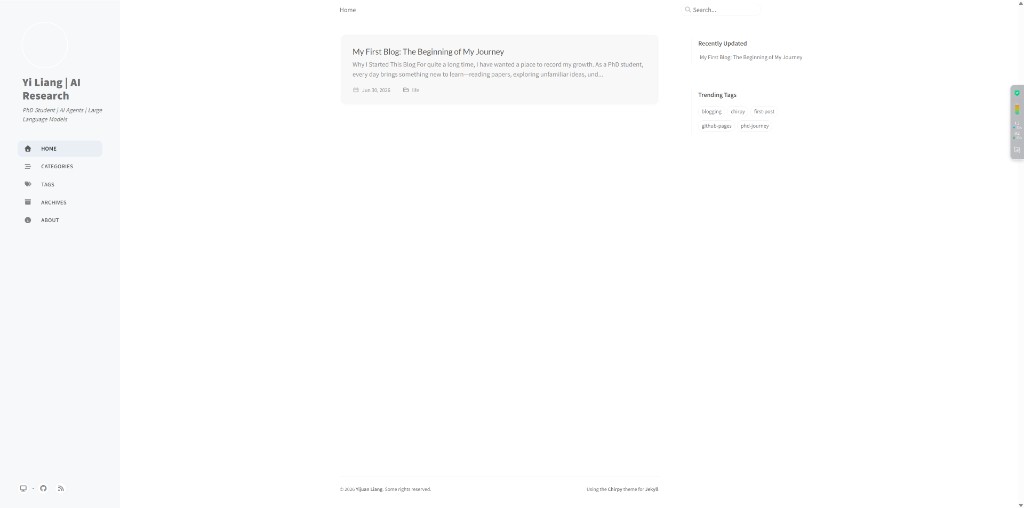
I pushed updates, but my browser still showed the old layout — old sidebar, old home page, everything.
Cause: Chirpy enables PWA offline caching by default. Your browser may serve a cached version of the site.
Fix: Hard refresh with Ctrl + Shift + R, or clear site data in DevTools → Application.
2. A blog post did not appear after pushing
I pushed a new post, GitHub Actions turned green, but the Blog page still showed only the first article.
Cause: The post date in the front matter was set to a future time. Jekyll does not publish future-dated posts by default.
Fix: Set the date field to the current time or a past time, then push again.
1
date: 2026-07-02 08:00:00 +08:00
3. About page Markdown did not render
My About page showed raw text like ## About Me and **bold** instead of formatted HTML.
Cause: Markdown was nested inside HTML <div> blocks. Jekyll/Kramdown does not parse Markdown inside HTML unless you add markdown="1" — and nested blocks are still tricky.
Fix: Keep Markdown outside HTML wrappers. Use HTML only for special layout pieces like the education timeline.
4. Giscus and GoatCounter are not the same as Google indexing
GoatCounter recording a visit does not mean Google has indexed the page. Search Console verification does not mean you will appear in search results immediately.
These are three separate systems. Each one needs its own setup and patience.
What Is Working Now
- Left sidebar navigation reorganized (Home / About / Research / Experience / Projects / Blog)
- Page view counts on blog posts (GoatCounter)
- Comment section at the bottom of posts (Giscus)
- Google Search Console verification completed; sitemap submitted
There is still plenty to improve — more content, better SEO, a Google Scholar profile — but the site feels more like a real website now, not just a static page I visit alone.
Closing Thoughts
Compared to the first post, this stage felt less dramatic. Less green-checkmark anxiety from GitHub Actions (well, mostly). Just a series of small integrations — navigation, analytics, comments, search — each with its own configuration file and ways to go wrong.
If you are building a Chirpy site on GitHub Pages, I hope these notes save you an hour of confusion — especially the PWA cache issue and the future-dated post trap.
More posts coming soon.